


Product update: Better management, faster workflows
We’ve just rolled out a fresh set of updates designed to make managing your campaigns and websites smoother than ever. This release focuses on high-impact organization and quality-of-life improvements giving you better visibility into your data and more control over your workflow. As with every update, these changes are built directly from your feedback.
You asked for better ways to organize long lists of campaigns and more immediate access to performance data, and we’ve delivered.
Changelog
New features
- Campaign Table View — A new layout for faster scanning and comparison.
- Campaign Archiving — Move old campaigns out of sight without deleting them.
- Landing Page Stats on Cards — Views and conversions, visible at a glance.
- JS Snippet Access — Copy your tracking code directly from the action menu.
- Customization Scroll & Highlight — Instantly locate elements from your cart.
Improvements
- Clearer Campaign Status — Distinct visual styles for active vs. draft states.
- Better Website Status Colors — More intuitive color-coding in settings.
- Variation Editor Save Button — Save your work without leaving the editor.
- Clear Customizations Confirmation — Prevention against accidental resets.
- Helper Tooltips — Contextual guidance added throughout the app.
What’s new
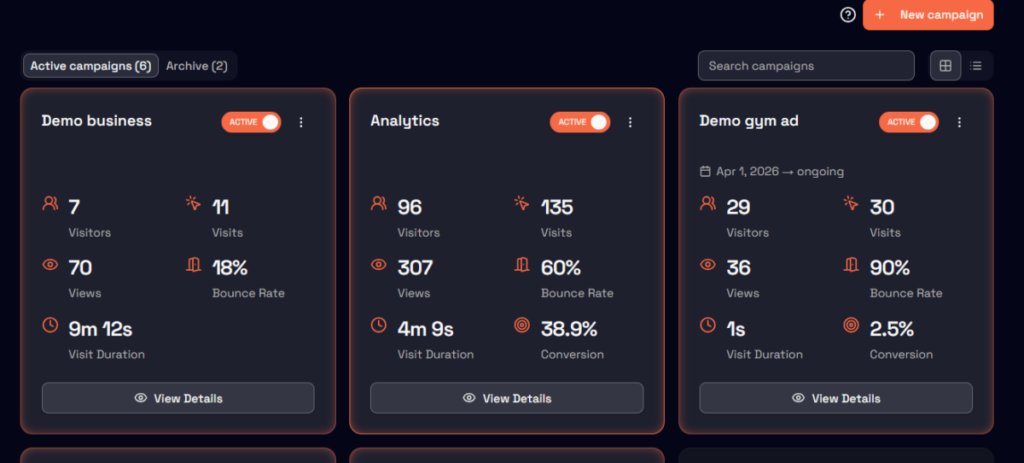
Campaign table view: Data at a glance
You can now toggle between the traditional view and a new Table View when browsing your campaigns. Why this matters:
- Makes it easier to compare performance across multiple campaigns.
- Allows for faster scanning of campaign names, statuses, and dates.
- Streamlines management for power users with high campaign volumes.
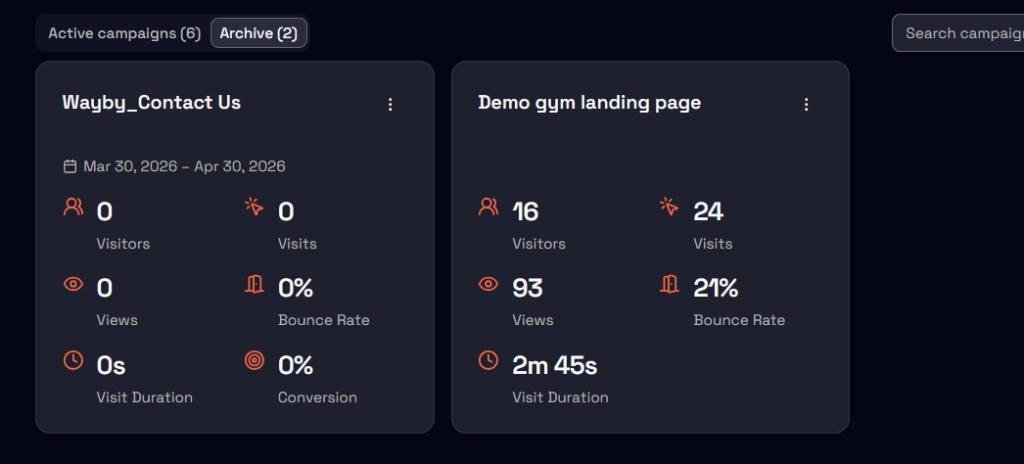
Campaign archiving: Clean up without the risk
Instead of deleting old experiments, you can now archive them. Archived campaigns are tucked away in a separate section, keeping your active workspace clutter-free.
Why this matters:
- Preserves historical data for future reference.
- Keeps your “Active” list focused only on what’s running now.
- Allows you to unarchive and reactivate campaigns whenever you need.
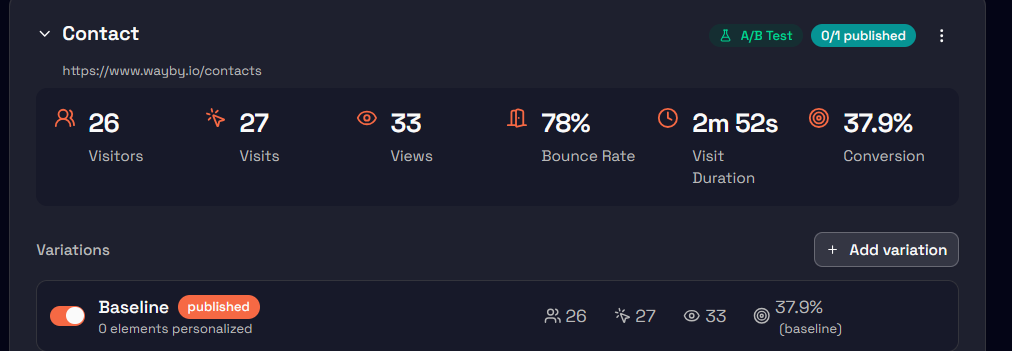
Landing page stats: Instant insights
Summary statistics (views and conversions) are now displayed directly on each landing page card.
Why this matters:
- No need to click into individual pages to see how they are performing.
- Speeds up the “check-in” process for your daily marketing tasks.
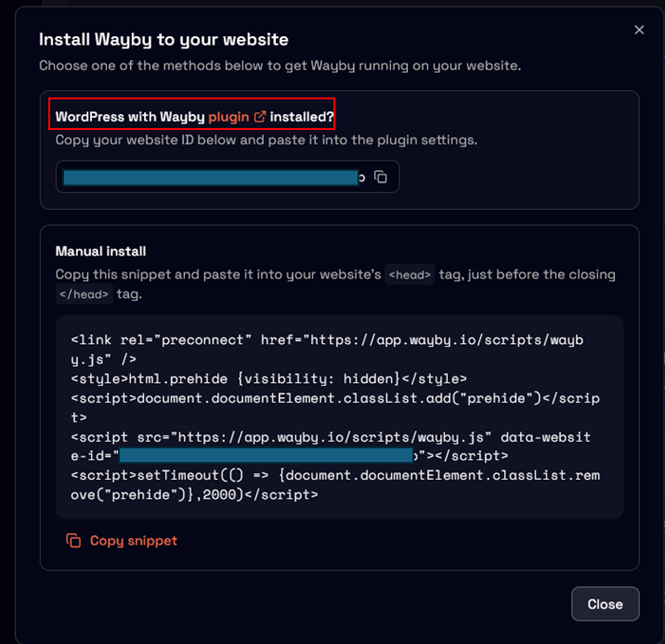
JS snippet access: Faster installation
We’ve added a quick-access link to your tracking snippet within the website action menu, including a direct link to the Wayby plugin.
Why this matters:
- Saves time during initial setup or when troubleshooting.
- Ensures you always have the right code at your fingertips.
Improvements
A more intuitive UI
We’ve refined several visual elements to make the app feel more responsive and clear:
- Status Clarity: Active and draft campaigns now look visually distinct, so you’ll never wonder if a campaign is live.
- Consistent Colors: Website status indicators now use intuitive colors that match industry standards.
- Helper Tooltips: New tooltips provide “on-the-spot” explanations for features, reducing the need to hunt through documentation.
Workflow efficiency
- Variation Editor: The new Save button allows you to commit changes while staying in the editor. No more unnecessary redirects back to the details page while you’re in the “creative flow.”
- Navigation: When selecting a customization from your cart, the app now automatically scrolls to and highlights that element on the page, so you know exactly what you’re looking at.
Safety first
- Clear Customizations: We added a confirmation dialog before clearing all customizations. This small step prevents the frustration of accidentally losing your work with a misplaced click.
Built with you
This release is another step toward making Wayby the most user-friendly personalization platform on the market. By focusing on organization and visibility, we’re helping you spend less time managing the tool and more time growing your conversions. Keep the feedback coming, we’re just getting started!