

Product update: Built from your feedback
We’ve rolled out a first update to production: Wayby is now fully upgraded and migrated to a new elements data model. This is a foundational change that unlocks more flexibility, better performance, and sets us up for everything coming next.
As always, this release is heavily shaped by what we’ve heard from you:
Clearer workflows, faster personalization, and more reliable campaign behavior.
Changelog
New features
- Batch AI personalization (up to 20 elements at once)
- Website installation check (based on last 30 days of events)
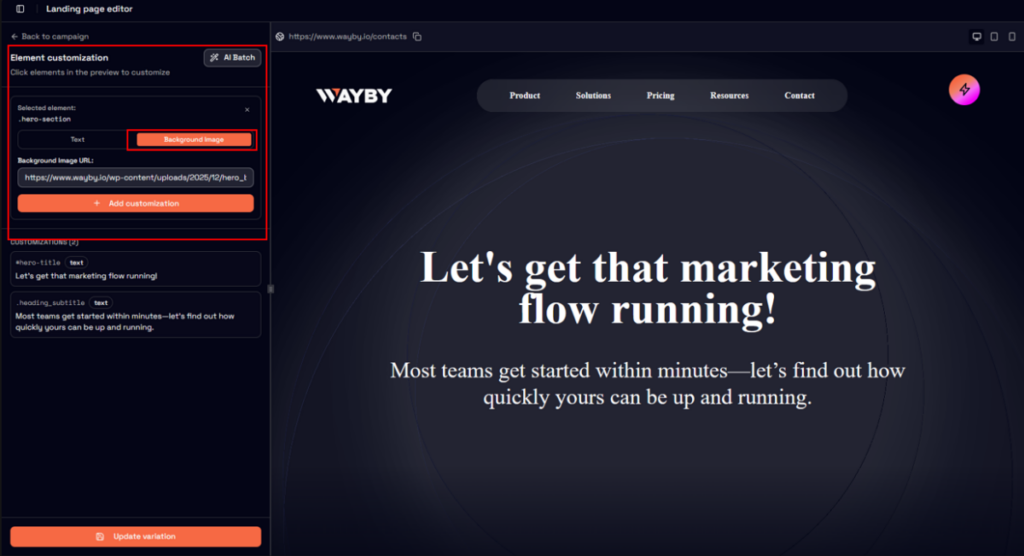
- Background image personalization: personalize background images on your site elements
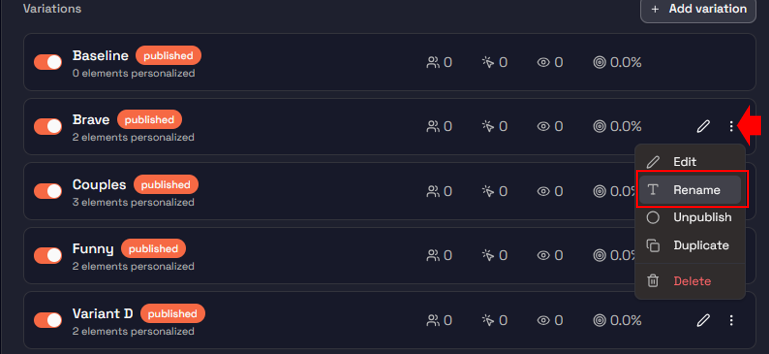
- Rename variations
Improvements
- Refactored personalization data model
- Configurator UX improvements (toolbar, layout, overflow)
- Campaign management and listing improvements
- Website page data fetching and dialog handling upgrades
- Improved JS snippet installation dialog
- Performance improvements via prefetching
- Updated branding and UI consistency
- Improved campaign activation guidance
- Better landing page dialog usability
- Full page URLs now visible in website listings
What’s new
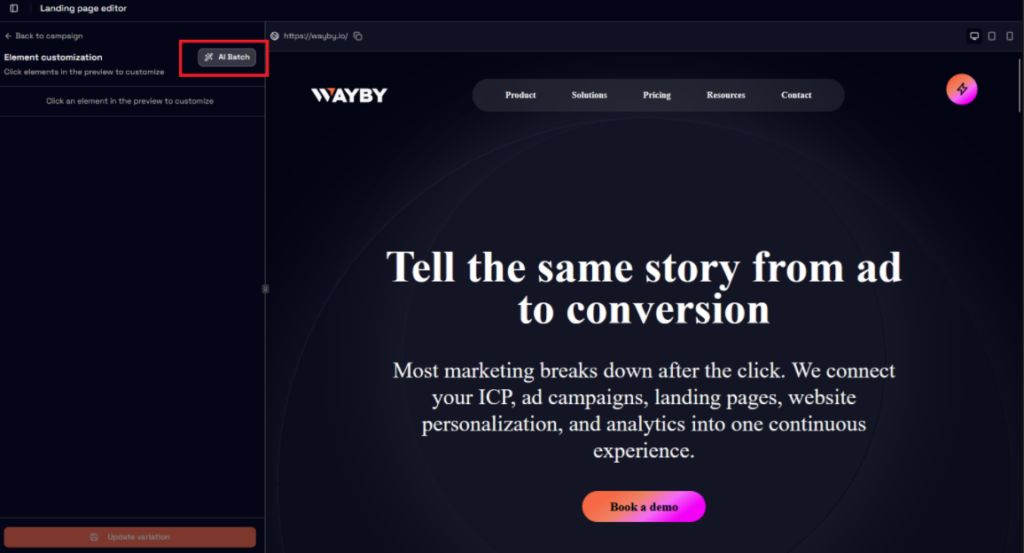
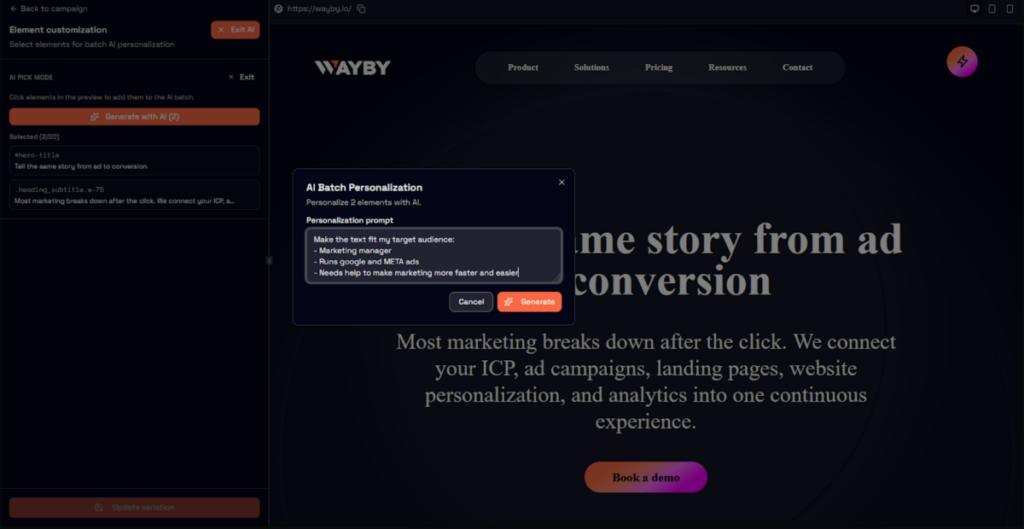
Batch AI personalization: faster, scalable workflows
You can now personalize up to 20 elements at once using AI directly in the configurator.
Why this matters:
- Dramatically reduces manual work
- Makes experimentation faster
- Helps you scale personalization across pages more efficiently
We’ve also excluded images from batch generation to maintain quality and control where it matters most.
Website installation check
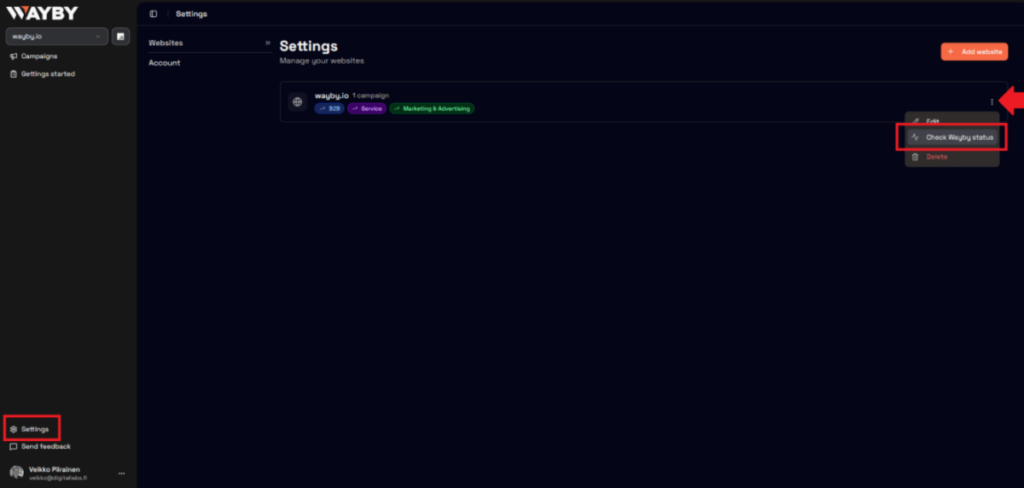
You can now verify if Wayby is correctly installed by checking event activity from the past 30 days.
Why this matters:
- Removes uncertainty around tracking setup
- Speeds up onboarding and troubleshooting
- Gives clear visibility into real usage
Background image personalization
You can now personalize background images on your site elements, expanding beyond text and standard image elements.
Why this matters:
- Gives you more creative control over how experiences look and feel
- Enables deeper visual personalization without workarounds
- Opens up new use cases for campaigns and landing pages
Rename variations
You can now rename variations directly from the editor.
Why this matters:
- Makes it easier to manage multiple variations
- Improves clarity when collaborating or reviewing campaigns
- Reduces confusion in larger experiments
Improvements
A more flexible data model
We’ve refactored how personalized elements are structured.
Impact:
- Supports more advanced use cases going forward
- Improves system consistency and maintainability
- Lays the groundwork for upcoming features
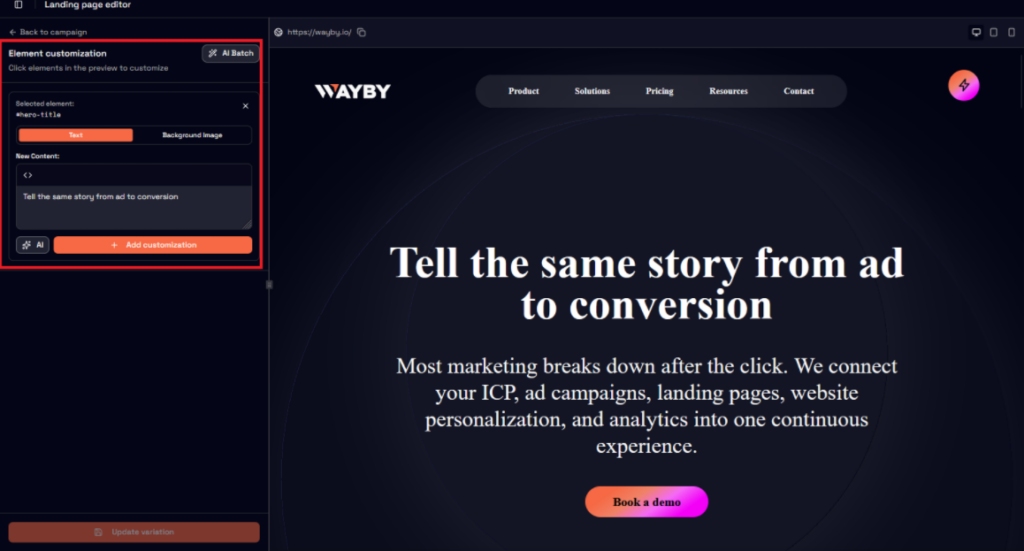
Configurator UX: cleaner and more predictable
You’ll notice improvements such as:
- Better placement of the AI toolbar
- Fixed layout stretching issues
- Improved overflow handling
These changes make the configurator more stable and easier to use.
Campaign management: more reliable and clear
- Campaign dialog refactored for stability
- Proper text formatting in campaign lists
- Loading states added while data is fetched
Result: clearer system state and fewer surprises.
Performance improvements
We’ve introduced smart prefetching:
- Campaigns load faster on detail pages
- Website data is preloaded where possible
Result: a faster, more responsive experience.
More polished UI and branding
- Updated text styles across editor and campaign views
- New logo and improved sidebar proportions
- Full page URLs now visible for better clarity
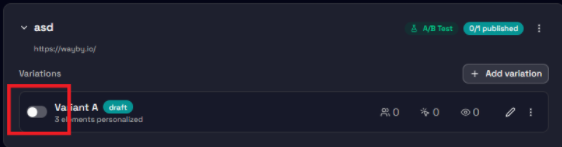
Better guidance when activating campaigns
- Tooltip explains activation requirements
- Only valid (published and linkable) landing pages are selectable
Result: fewer errors and clearer expectations.
Built with You
This release directly reflects your feedback:
- Faster personalization workflows led to Batch AI features
- Need for more visual control led to background image personalization
- Managing complexity led to better variation organization
- Setup visibility led to installation checks
- UX feedback led to configurator and campaign improvements
We’ll continue focusing on making your workflows faster, clearer, and more reliable.